You Found Them on LinkedIn. Now Find Their Email.
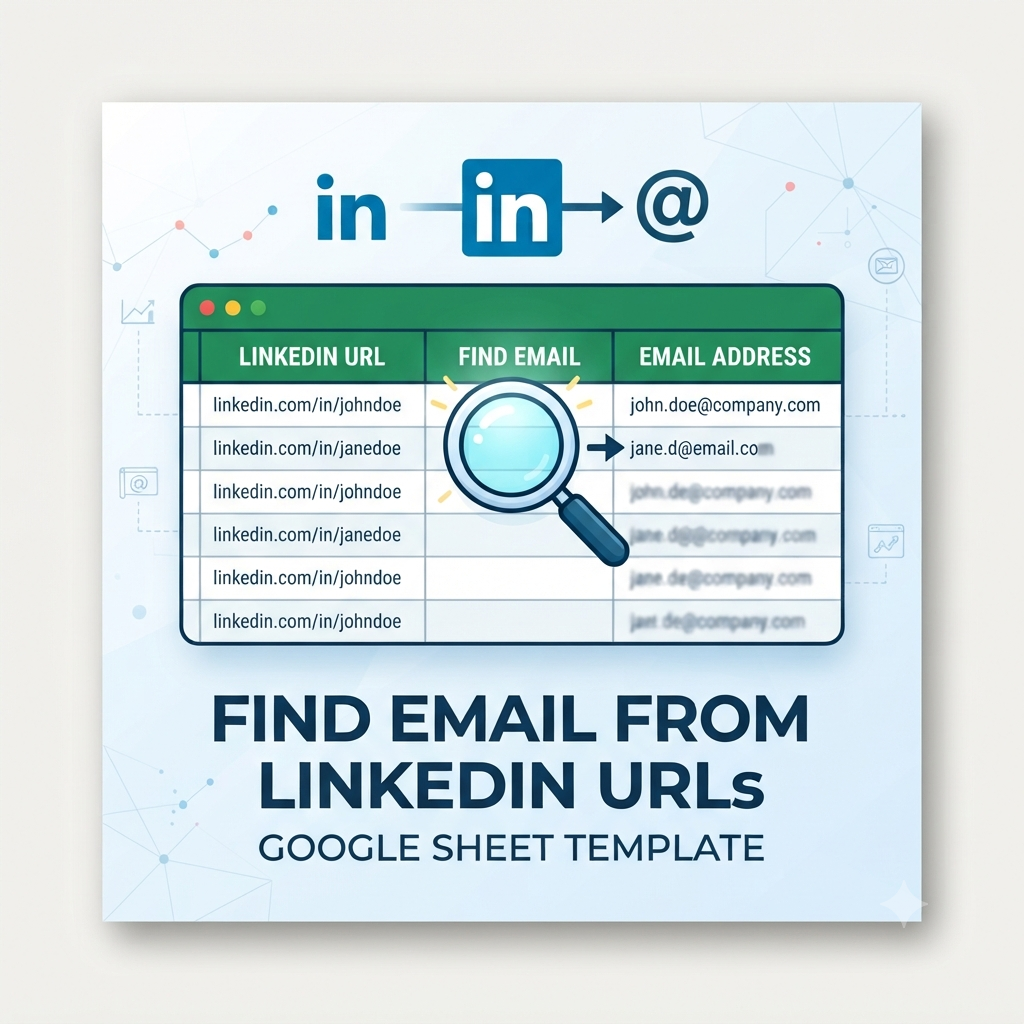
Turn a column of LinkedIn profile URLs into verified emails and phone numbers, right inside Google Sheets, with your own API key, and without sending your data through anyone else's server.
"We run outbound through Clay and La Growth Machine, and kept hitting rate limits and thresholds mid-batch just trying to find emails from LinkedIn profiles."
That's exactly what happened to us at Makeinfo. Lists would stall halfway through a search, credits would burn, and every LinkedIn lookup run turned into babysitting a platform queue instead of just getting an answer.
So we built the tool we actually needed: a Google Sheets add-on that calls Prospeo or LeadMagic directly, with your own API key, from a spreadsheet instead of a rate-limited platform. Find Email from LinkedIn is that tool. We use it ourselves, and now you can too.
The Makeinfo Team
Builders of Find Email from LinkedIn
Works with the tools you already use
Does this sound like you?
You built a great prospect list on LinkedIn. Now you're stuck finding out how to actually reach them.
Copy-pasting LinkedIn URLs into five tools
Every profile means another tab, another paste, another wait for results. For a list of 50, that's an afternoon gone.
An hour lost finding emails one by one
You built the prospect list on LinkedIn in twenty minutes. Finding the emails to reach them took the rest of your day.
The export-lookup-reimport loop
Download URLs, upload to a finder tool, wait, download results, paste back into Sheets. Every single list.
Half your list stays blank
Single-provider lookups miss a chunk of every batch, and you're left guessing who to skip and who to retry.
Paying for a platform you barely use
Full enrichment suites charge monthly for a feature you need for one task: turning a URL into an email address.
Three steps. No new tools. No exports.
Find Email from LinkedIn lives inside Google Sheets. Your LinkedIn URLs and results never leave the spreadsheet you're already working in.
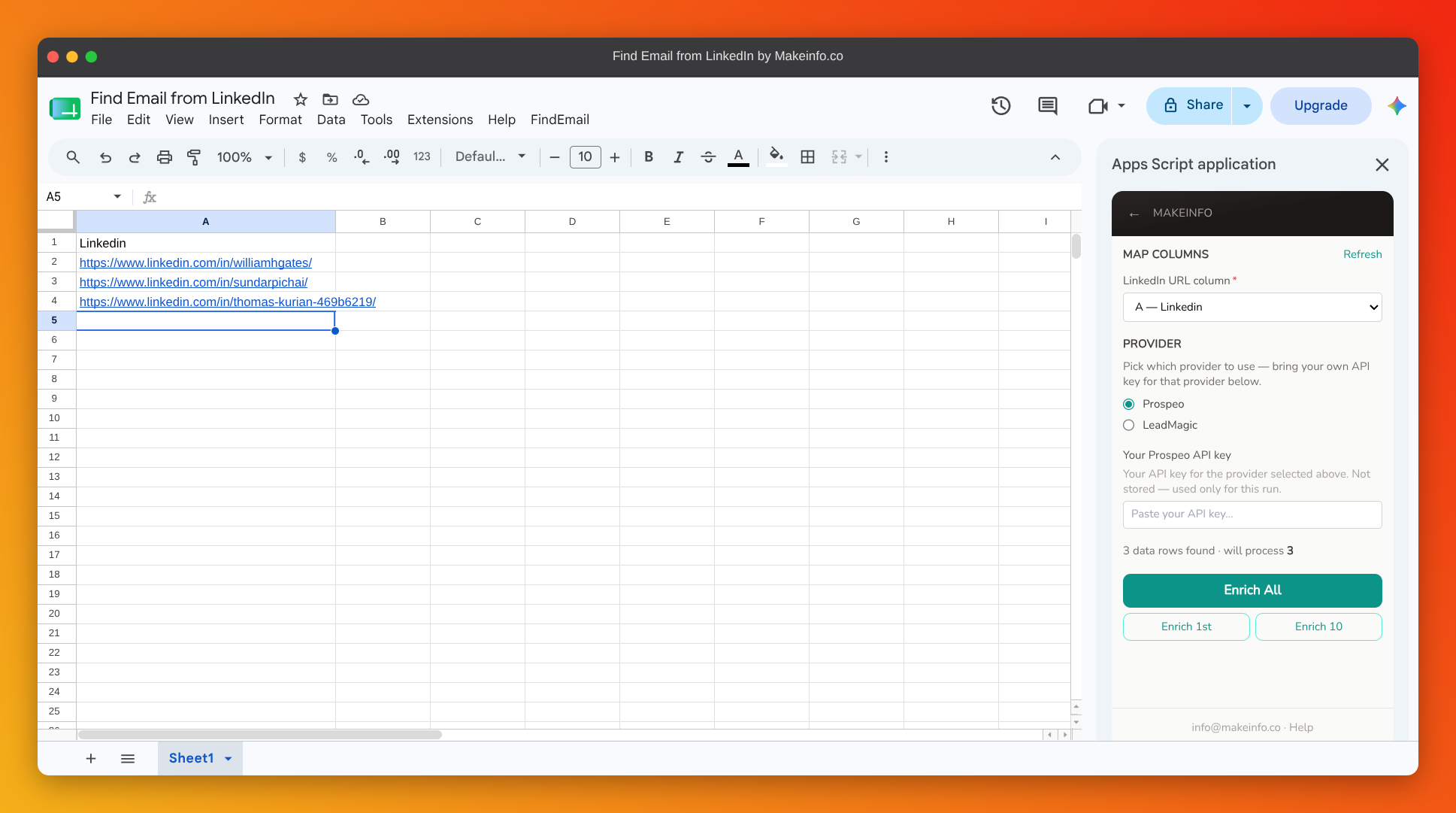
Map your LinkedIn URL column
Open the sidebar in any Google Sheet and point it at the column holding your linkedin.com/in/... URLs. Takes about 30 seconds.
Choose your provider and paste your key
Pick Prospeo or LeadMagic and drop in your own API key. It's used only for this run and never stored on our servers.
Run it: results land in your sheet
Email, phone number, and which provider found the match are written straight back into new columns. No dashboard, no waiting.
See it in action
The real sidebar, not a mockup. Here's exactly what you'll see in your own Google Sheet.
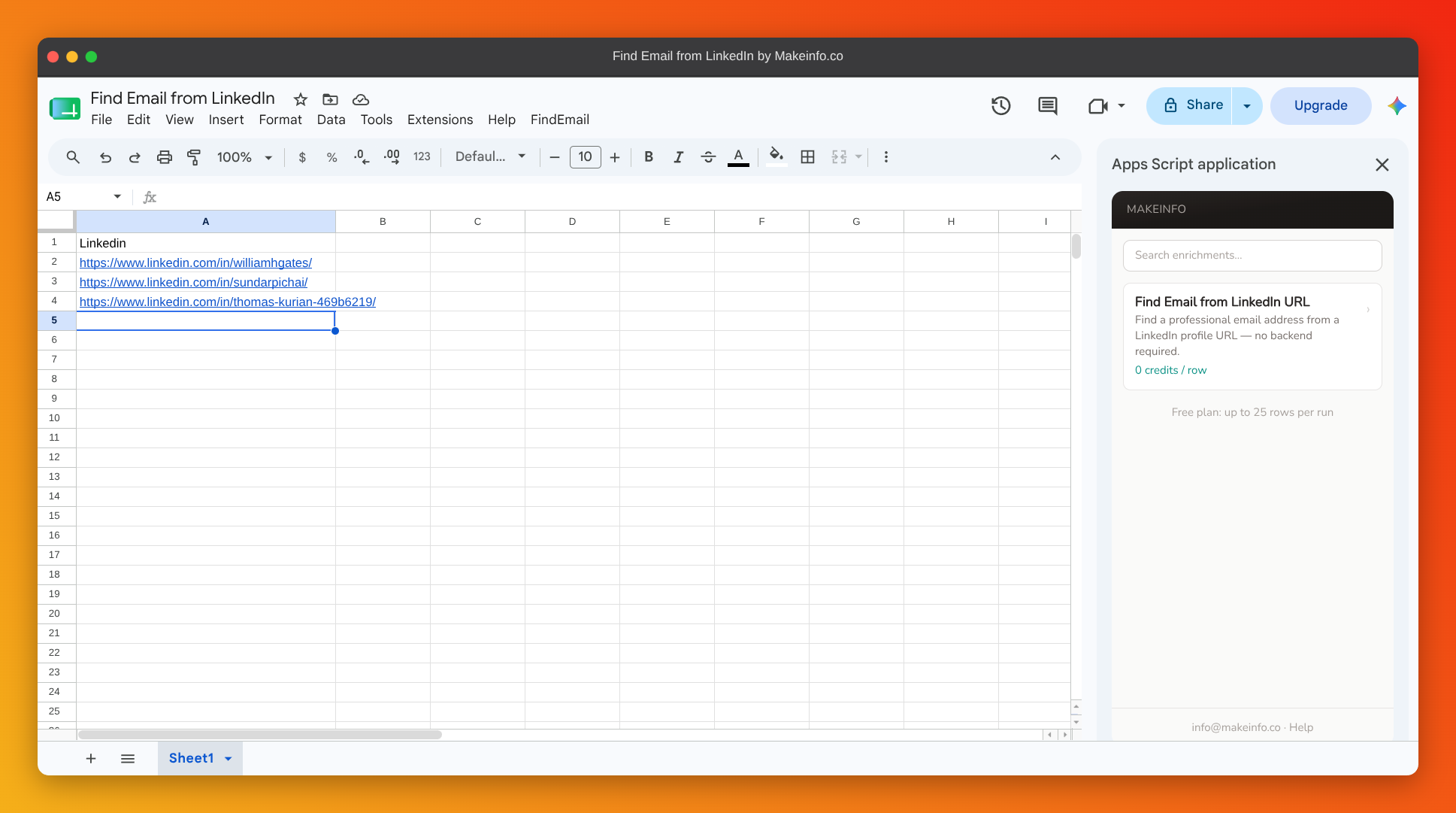
Step 1: Pick "Find Email from LinkedIn URL"
Everything you need, already in your spreadsheet
No new dashboard to learn. No credits to buy from us.
Bulk LinkedIn-to-email lookup
Paste a column, get emails back
- • Works on any linkedin.com/in/... column
- • Validates URL format before running
- • Handles as many rows as your plan allows
Bring your own API key
Prospeo or LeadMagic, your account
- • Your key, your usage, your cost
- • No markup, no credits to buy from us
- • Switch providers any time
No backend, no middleman
Runs entirely in your browser
- • Browser talks directly to your provider
- • Nothing routed through our servers
- • Nothing for us to see or store
Built for Google Sheets
A sidebar, not another tab
- • Native Sheets UI, no external dashboard
- • Email, phone, and provider columns
- • Contact Us / Help built into the menu
Bonus prospect list template
Pre-formatted and ready to go
- • LinkedIn URL, Name, Company, Email, Phone columns
- • Drop straight into the add-on
- • Plus a full setup guide
Free. Bring your own API key.
Find Email from LinkedIn is a free download. You pay your chosen provider directly at their rates. We don't add a markup.
Instant access · Works with any Google account
Here's what teams got back after switching
Less time hunting for emails, more time reaching out.
Jordan T.
SDR
"I had a list of 80 LinkedIn profiles and emails for all of them in under ten minutes. No exporting anything."
Priya R.
Technical Recruiter
"I source candidates on LinkedIn all day. This is the first tool that gets me their email without leaving the sheet."
* Testimonials represent aspirational outcomes. Replace with real customer quotes when available.
Relatable scenarios for easy adoption
See exactly how things change once LinkedIn-to-email lookup is built into your workflow.
Outbound List Building
Manually searching each LinkedIn profile for an email across three different lookup tools.
Paste the URL column, run the add-on, emails land in the next column.
Candidate Sourcing
Sourced candidates on LinkedIn but had no way to contact anyone outside the platform.
Emails and phone numbers filled in automatically, ready for outreach.
Manual Founder Outreach
Subscribed to an enrichment suite just to get emails for a handful of leads a week.
Same lookups, run with your own API key, no monthly subscription.
Highlight small, achievable wins
Real workflows this add-on is built to replace.
Sales rep built and emailed a 20-person outbound list in the time it used to take to find five email addresses.
Sales RepRecruiter stopped switching between two email finders and a spreadsheet formula just to reach sourced candidates.
RecruiterFounder replaced a paid enrichment subscription with a free add-on and their own Prospeo API key.
Founder* Figures are illustrative outcomes based on the workflow this add-on replaces, not measured customer data.
You already have the LinkedIn URLs.
You just need what's behind them.
Your prospect list is already built.
The profiles are open in a hundred tabs, or sitting in a column in Sheets.
Find Email from LinkedIn fills in what's missing (email and phone) without making you leave your spreadsheet or pay for a platform you'll barely use.
Free to download. Your own API key. No markup, no middleman.
Your enriched rows, right inside Google Sheets
About This Add-on & Data Usage
Find Email from LinkedIn is a Google Sheets add-on that finds a professional email address (and phone, where available) from a LinkedIn profile URL. You map a column of LinkedIn URLs, choose a provider (Prospeo or LeadMagic), and the add-on calls that provider's API directly from your browser, writing results back to new columns in your sheet, without a backend in between.
Google Sheets: Read & Write
The add-on reads LinkedIn URLs from the column you map and writes results (email, phone, and which provider found the match) back to your sheet. It only accesses the active spreadsheet, never any other files in your Drive.
Your API Key: Stored in Your Spreadsheet
When you add an API key for Prospeo or LeadMagic, it is stored in your spreadsheet's user properties, not on our servers. Your key is used only to call your chosen provider on your behalf, for this run.
What We Do Not Access
We do not access your Gmail, Google Drive files, Google Contacts, calendar, or personal account information. We do not store, sell, or share the LinkedIn URLs or contact data you look up. The add-on runs entirely client-side, with no backend of ours in the loop.
Third-Party Data Providers
LinkedIn URLs are sent to the provider you configure (Prospeo or LeadMagic) solely to retrieve an email address and phone number. Each provider has its own privacy policy governing how they handle that data.
Why we actually build these tools
If we're honest, it comes down to privacy. We're a small team, not a venture-backed company with a dedicated security department, and every tool we ship starts from the same question: would we hand our own data to this? If the answer's no, we don't build it that way. That's the real reason half of what's on this site exists — not because a security badge looks good on a landing page, but because we didn't want to be the company someone else has to worry about.
Read our privacy policy →